
Apply for a Building Permit
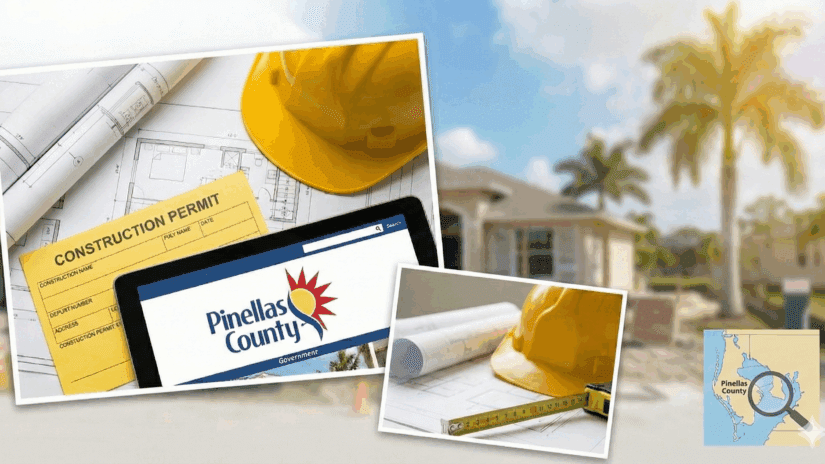
Apply online, upload plans, schedule inspections and find answers about building and development review services.
Need help? Read below, call (727) 464-3888 (Option 2) or email buildingpermit@pinellas.gov.
Click on each icon to learn more.
Simple, standalone projects that may qualify for faster review. Available for licensed contractors only.

Permits for homes, additions, interior remodels, spas, pools, sheds, decks, fences, solar and trade work.

Permits for new commercial buildings, tenant build-outs, remodels, change of use and systems such as fire sprinklers.
How to Apply & Track Permits
The Pinellas County Access Portal (Accela) is the online system where you apply for permits, upload plans, pay fees and track inspections for projects in our service area. To get started, create an account and use the Portal for all building, development and storm-recovery permitting instead of submitting paper applications
Live Inspection Updates
Check out the new Inspection Tracker program. On the day of your inspection, you can see the inspector(s) assigned to your permit, an estimated arrival time, and your place in the daily route.
Permitting Resources
*BDRS is closed and no inspections will take place during all County holidays.
Before You Apply
Construction in a Floodplain
If your property is located in a flood zone, special building regulations and Substantial Improvement rules will apply to your project. Review the County’s floodplain construction guidelines to ensure your permit application meets all elevation and safety requirements before you build.
Review Permit Times & Activity
Want to know how long your application might take? Check our real-time dashboard to see current review times, total permit activity and inspection statistics before you apply.
Online Submission Guidelines
All permitting applications and site plan submissions are managed online through the Pinellas County Access Portal (Accela). Use the portal to apply, upload digital plans, pay fees, and check the status of your permits and inspections.
Before you apply, review the Permitting Guide, Building FAQs, and the forms and checklists for your project. This will help you choose the correct record type and submit complete information the first time.
Permitting Success Checklist
- Create or sign in to your Access Portal account before you apply.
- Select the record type that matches your project: Express, Residential or Commercial
- Upload all required forms and plans in digital format.
- Check your record for review comments, messages, and inspection results.
- Most work should be performed by a properly licensed contractor. Verify licenses before you hire.
- Some projects may qualify for Express Permits if they meet specific criteria.
Get Your After-the Fact Permit by June 30, 2026, to Avoid Penalties
If you’ve already started or completed storm-damage repairs without a permit, you may need an after-the-fact permit to stay compliant. Visit pinellas.gov/after to understand the process and complete the required documents. Taking this step now helps avoid fines, protects your property and keeps Pinellas County in good standing with FEMA. Penalties for submitting permits after-the-fact are waived through June 30, 2026. Standard permit fees still apply.
Get Help with Permits & Inspections
If you have questions about the permitting process, we are here to help.
- Check your Access Portal record for messages and comments from reviewers.
- Call Building and Development Review Services at (727) 464-3888 (Option 2).
- Use the Live Chat feature located in the footer of this page during business hours.
- Visit us at 440 Court Street in downtown Clearwater Monday through Friday from 8 a.m. to 4 p.m.
- Review the Building FAQs and Permitting Guide for answers to common questions.
View Permit Review Times & Activity
Want to know how long your application might take? Check our real-time dashboard to see current review times, total permit activity, and inspection statistics before you apply.
Frequently Asked Questions
1. How do I know if my project needs a permit?
Most construction jobs that involve changing the structure, electrical, plumbing, or mechanical systems of your home require a permit. Common projects that need a permit include replacing windows, installing a new water heater, or building an addition. Cosmetic changes like painting or installing new carpet usually do not require one.
Check our Address Lookup Tool to confirm if your property is in unincorporated Pinellas County and not within a city limit like Clearwater or St. Petersburg. If your property is in unincorporated Pinellas County, you will likely need to contact a municipal building department.
2. What projects do not require a building permit?
You generally do not need a building permit for the following projects:
Minor Repairs: Repairs costing less than $500, as long as they do not involve structural changes, electrical, plumbing, or mechanical work.Cosmetic Updates: Painting, wallpapering or installing trim.
Fences: Chain link, vinyl, or wood fences that are 6 feet tall or less do not require a building permit but may require a Zoning Clearance. Call 727-464-3888 option 3 to consult a zoning specialist.
3. How do I apply for a permit online through the Access Portal?
All permits must be submitted through the Pinellas County Access Portal. You will need to create a free account to get started.
Visit the Pinellas County Access Portal.
Register for a new account or log in.
Click “Create an Application” and accept the disclaimer.
Select “Building Permit” and follow the step-by-step instructions to enter your address, project details, and upload your files.
4. What documents do I need to submit with my application?
The documents required depend on what you are building, but most applications require digital copies of:
Construction Plans: Detailed drawings of what you plan to build. Some projects require plans digitally signed and sealed by an engineer or architect.
Site Plan: A survey of your property showing where the construction will happen.
Product Approvals: Information proving your windows, doors, or roofing materials meet Florida code.
Notice of Commencement: For projects valued over $2,500 (or $7,500 for HVAC), this form must be recorded with the Pinellas County Clerk of Court and uploaded before the first inspection.
You may find specific requirements on our permit application page.
5. How long does it take to get a permit approved?
The timeline depends on how complex your project is:
- Express Permits: These are often issued immediately after payment.
- Residential Permits: Typically take about 14 days.
- Commercial Permits: Generally take around 21 days.
For the most accurate and current estimates, please check the Building Permit Review Times & Activity Dashboard.
6. How do I schedule, reschedule, or cancel an inspection?
You can manage all inspections directly through the Access Portal.
1. Log in to your account on the Access Portal.
2. Navigate to “My Records” and click on your active permit number.
3. Click “Record Info” and then “Inspections.”
Here, you can view available times, schedule a new inspection, or cancel an existing one.
Inspections usually must be scheduled by 4 p.m. for the next business day.
7. How do I verify that my contractor is licensed?
Hiring an unlicensed contractor can be costly and unsafe. You should verify that your contractor is registered with the state or the county before work begins.
State Certified Contractors: Verify their license at MyFloridaLicense.com.
Locally Registered Contractors: Check with the Pinellas County Construction Licensing Board (PCCLB).
8. Where can I find forms, checklists and other resources?
1. Visit the sites listed in the “Permitting Resources” section on this page.
2. Visit the Building Development & Review Services main page for complete list of services and resources.
3. Call us at (727) 464-3888 or visit our office at 440 Court Street in Clearwater Monday through Friday from 8 a.m. to 4 p.m. excluding holidays. We’ll be happy to help you!